How to Take a Better Selfie

So many of us enjoy taking photos and video and this includes taking of ourselves too, yes, selfies. The word that has now made it into the Oxford English Dictionary, who would have thought. Selfie, short for self portrait, seems to be the thing to do if you have a smartphone. Not only does it seem necessary for almost all of us to take selfies but to share them.

Now the only thing is selfies do not always come out the way we intended and I think in many cases this is down to trying to push the button on the screen and keep it steady, or not being able to relax as we hang on to the phone so that we don’t drop it.

Here are some tips for taking a better selfie. Have fun.

Posted in camera, digital photography, Iphone, photography, Samsung Galaxy S4, Smartphone, social media | Tagged , , , | Leave a comment

Scam: Phone Call Telling You That There is a Problem with Your Windows PC

If you get a call saying you have a problem with your Windows computer just hang up. I’ve heard of people getting calls like this before but it happened to me today and I knew exactly what they were up to. They want control over your computer so they can take control of your computer and steal your details.

As I said whatever you do just hang up. I stayed on the line as I wanted to hear what they had to say. They sound convincing so unless you have called for support then it is not genuine. If you have called a support centre for help and they call you back ask for a number to call them.

I can tell you that if you go along with this not only can it turn out to be costly because you have given your details but also because you will probably need someone to help you remove the problem from your computer.

Please do share this with family, friends and colleagues. I do not benefit from advertising from this blog post, but would like to make sure as few people as possible are affected by this nasty attempt to try and steal from you.

Gary


Posted in Technology, windows 7, Windows 8.1 | Tagged , | Leave a comment

Photography: Using a Polarizing Filter

This week I had to photography something in a glass cabinet, this can be tricky due to reflections and glare off the glass. To reduce this I used a polarising filter.

Polarizing filters help reduce glare and reflections off water too. Unlike other filters you need to rotate the filter to maximise the effect. The angle of the filter makes a huge difference which you can see in the video below.

Polarizing filters also help enhance the blue in the sky, this might be something you find desirable in your photos, personally I like it as it make the sky appear bluer. It can also be handy in bright light as it reduces the amount of light coming through the lens, great when it is bright but if you are struggling in low light then keep an eye on your exposure.

Check out the video below to it in action.

Posted in digital photography, dslr, photography | Tagged , , , | Leave a comment

Syncing Office for iPad with Your Mac

If you have got Office for iPad you’ll have soon realised how useful it is and in my opinion better than the other programs that try and use Office files like Word, Excel and PowerPoint. You’ll also have noticed it prefers to save the files in OneDrive, Microsoft’s cloud storage system. You can save to the iPad but it doesn’t have the benefit of being backed up instantly or sharing with your other devices like your computers.

Sharing with your computer means being able to create and update documents there and then use them on the iPad and vice versa. I have been using this and it works really well. Well I had been using it mainly between my Windows computer and the iPad, I’m using Office 2013 and the link to OneDrive is all built in you just need to sign in to use it.

However, on the Mac the most recent version of Office is 2011 so not quite up to date enough to have the connection to OneDrive. You could use the Share option to save to what it still calls SkyDrive. However, opening documents is not so straight forward.

Thankfully there is a free app for OneDrive that adds a folder and does the connecting up to your online storage. Here in this short video tutorial I show you how to do it.

Posted in Excel, iPad, Microsoft Office, PowerPoint, word | Tagged , , , , | Leave a comment

Excel: Inserting, Editing and Deleting Comments

Excel can contain lots of information and sometimes it would be handy to add a note to various cells within the worksheet as reminders, things to check, how you created a formula or even where you got the resources for the information. Whatever it is you can add a comment to cells to do just that.

Here is how you can insert comments, edit and delete them.

Posted in Excel | Tagged , , , , , | 1 Comment

Protecting Worksheets in Excel

Protecting worksheets in Excel allows you to stop anything being changed on a worksheet or specifying that particular cells can be changed whilst others cannot. This is very useful if you want to make sure that certain cells are not changed inadvertently such as formulas and functions. This could be that you want to make sure you do not make a mistake yourself or because you have other people using it and you do not want them to make a mistake or make changes.

It can be useful to protect the information that is being used in a lookup.

It is possible to add a password or you can choose not have a password, if you do use a password make sure you remember it.

Posted in Excel, Microsoft Office, Office 2010 | Tagged , , , | 1 Comment

Excel: Formatting Numbers – How to Set Decimal Places

If you have entered a number that has a number of decimal places or you have a result from a formula and it has a number of decimal places you might want to set the number of decimal places. You can increase and decrease the number of decimal places at the click of a button. You may also want all of the numbers to have the same number of decimal places.

Here in this video tutorial you will see how to do this.

Posted in Uncategorized | Leave a comment

Formatting Dates in Excel

If you add a date to Excel it may not come up the way you want it to look. It is pretty clever it usually remembers the way you typed in the date and remembers the format, the problem is if you want to change the format, even if you type it on differently it comes up in the same format. You may also have changed your mind and want to type in a number instead but now it shows as a date.

If you want to display the day of the week then that is possible through custom formatting and I’ll show you how to do that too.

Here in this video tutorial I’ll show you how to set and change the formatting of a date, what to do if a number is showing a date and how to display the day of the week.

Posted in Uncategorized | Leave a comment

Creating a Good Password

If someone gets hold of your password they can do a lot of damage to you or your business. This can be taking control of email, website, bank accounts, you name it. The damage can be to your reputation if someone changes or takes down your website and the obvious one it can be financial.

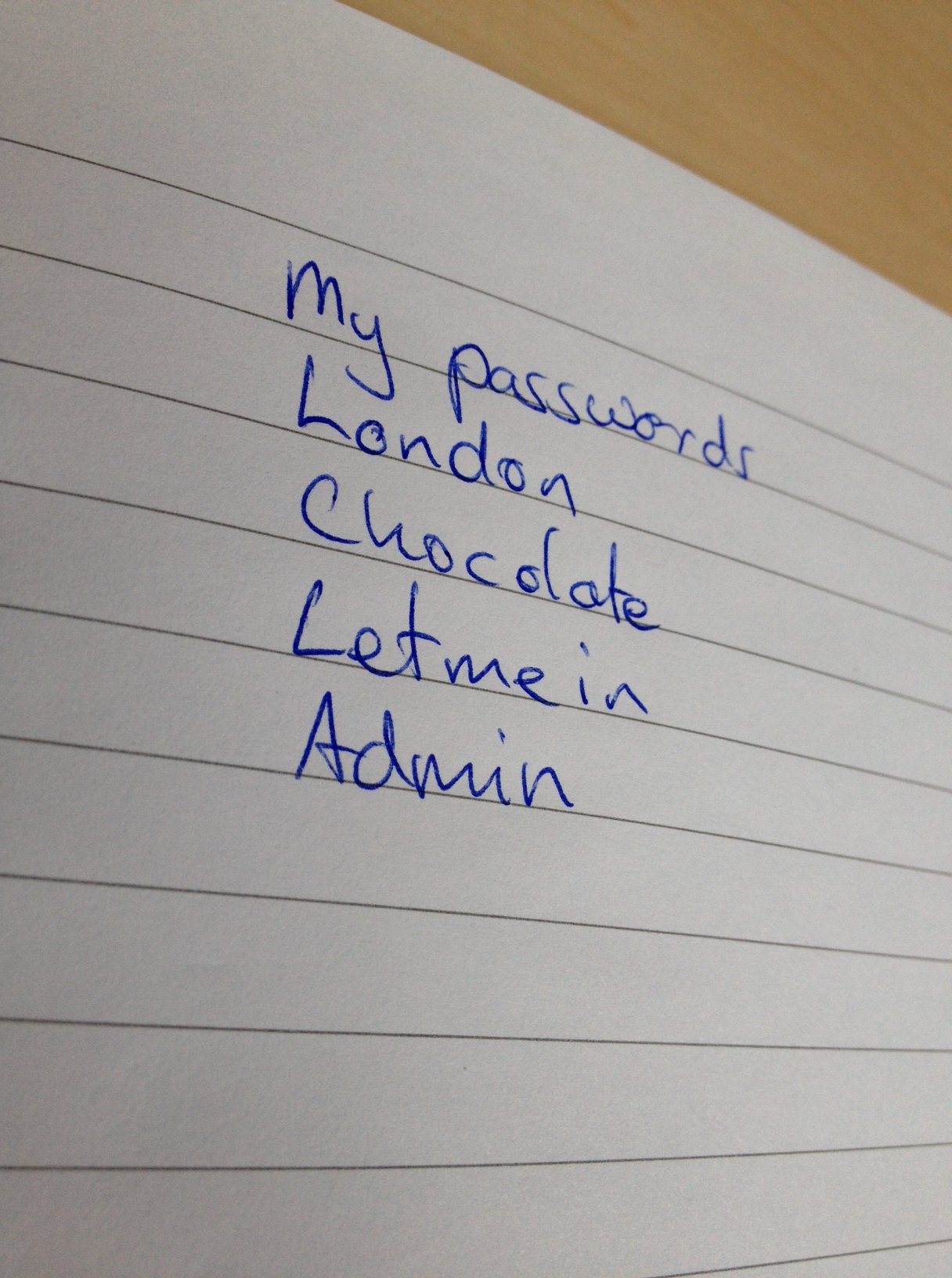
pic for blogBefore we look at how to create a good password you need to know how hackers work. They don’t sit there trying to login by trying combinations of your username and password they either have a program or create one to do this for them so they just leave it running. Now there are many ways they can do this but one method is to use a dictionary database. In its simplest form what this does is try combinations of possible usernames and then go through the dictionary trying to find a match, it will more than likely try things like the top row or part of them on the keyboard like qwerty. It may be they already know your username or may take a logical guess that it might be something, say in the case of Clark Kent, ckent, kentc, c.kent etc. So you can see why real words or names are bad. It may also try dates, nicknames etc. So don’t use dates of birth, children or pet’s names etc. not without varying them. You’ll see what I mean

This is why you will see those scrambled letters and numbers you have to type in addition to your username and password. They are scrambled so that a computer can’t read them and then use it. This is known as a Captcha.

This is also why you are sometimes limited to how many attempts you have at entering a password before needing to reset it.

So now you know why names, dates, words, countries, cities etc are not good passwords.

Now I do appreciate that we all have many passwords and they can be difficult to remember them all but prioritise those that are particularly important. Access to bank accounts and emails are obvious but protecting cloud storage is import and access to your websites is also important.

Please, don’t write them down especially in full or where someone else might see them. There are apps for storing passwords and even in those I never enter them in full. I use a popular one with good reviews.

So if you need something really secure you could use a password generator, this will generate secure passwords that admittedly difficult to remember but hard to crack. Here is one site that can do this for you http://strongpasswordgenerator.com/

It is also useful to change passwords every so often.

So here are a few quick tips for creating a more secure password. Make sure it doesn’t match your username, use at least one capital letter and a number. I deliberately misspell words too. But make sure it is something you will remember. This is not my password but an example based on chocolate, Chokolatte01. This is so much better but really good wood be Ch0K0!@tte01. Change Os to zeroes etc

And never email a password, email is far from secure. Text it instead and never username and password together. If I have to I email username and text password.

Posted in Uncategorized | 2 Comments

How to Use Excel PivotTables

Excel is full of great tools for doing data analysis, in fact it is sometimes useful to import data from another application or database and analyse it in Excel. One of these great tools is the PivotTable. It is quick and easy to use and you can easily move your data around which might help you see the data better.

Other useful tools for data analysis in Excel include data tables, goal seek and the scenario manager.

Here is a video tutorial that will help you get started with PivotTables.

Posted in Excel, Microsoft Access, Microsoft Office | Tagged , , , , | 1 Comment